Introducing Rankstan: Rank Tracking, Competitor Research and AI Drafting in One Workspace
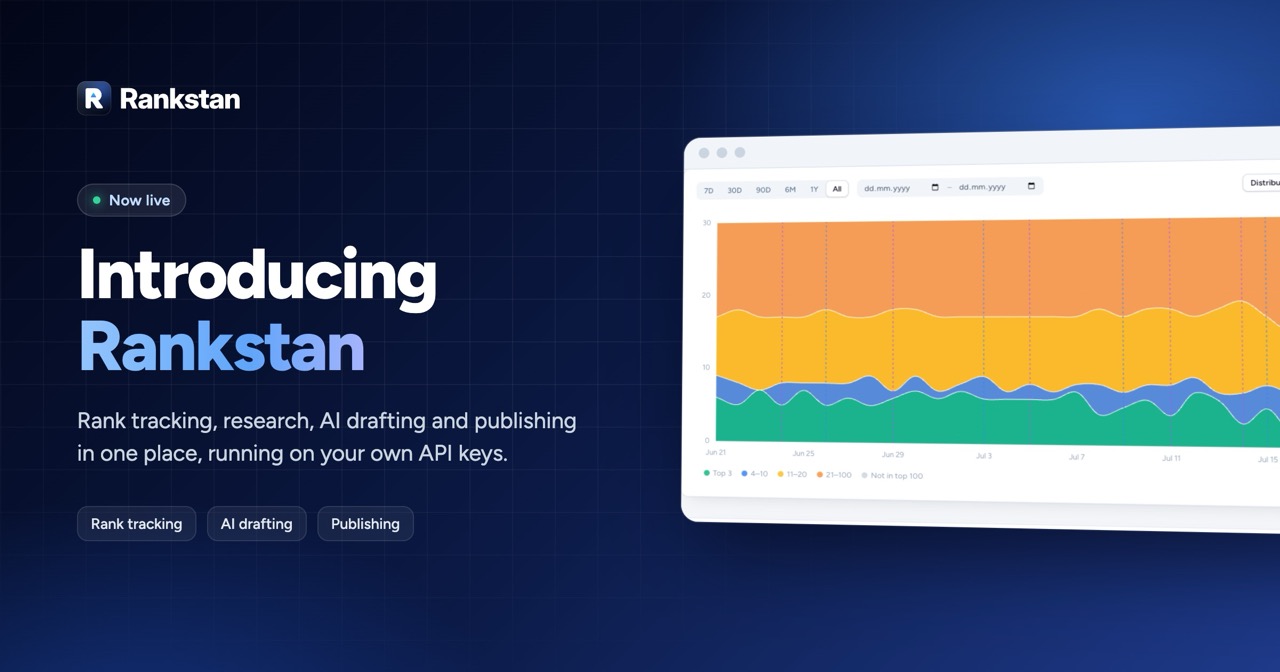
Most SEO teams run the same loop every month. Find the keywords worth chasing. Check where you rank. Read the pages beating you. Write something better. Publish it. Then wait, and try to remember which article was supposed to move which keyword.
That loop usually lives across four tools and a spreadsheet, and the expensive tools charge you a markup on data they buy from someone else. Rankstan puts the whole loop in one place, and runs it on your own API keys.
This post walks through what Rankstan does, how it fits together, and what it costs to run.
Your keys, no markup
Rankstan is built on the same APIs the big SEO tools use. The difference is that the accounts are yours.
DataForSEO runs every rank check and keyword lookup: positions, search volume, difficulty and cost per click. New DataForSEO accounts come with free credit, enough to try Rankstan before you top up.
OpenAI or OpenRouter is optional, and unlocks AI planning, drafting, titles, meta descriptions and images. Connect both if you like and choose which one is active. Rankstan reads the model list from your account, so you only pick from models you can actually use.
BrightData is optional too, and only fetches competitor pages so you can read them in place.
You pay those providers directly, at their own rates. Rankstan never marks them up. Your Rankstan plan covers the workspace, not the data, so there is no limit on keywords: the real limit is your own budget.
To keep that budget predictable, every action that bills a provider shows an estimate first, whether you are adding keywords, running an analysis or setting up a new project. Your keys are stored encrypted against your workspace, AI completions stream from our server, and a saved key is never sent back to the browser.
Rank tracking that explains itself
Add the keywords you care about, and Rankstan checks them daily or weekly, on desktop and mobile, in every location you target. Every row shows where the keyword started, where it sits now, what moved since the last check, and whether it is worth the effort at all.
Every check also stores the exact search it ran, so you can open the results page we saw. That is not a fresh search skewed by your own location and history; it is the page the ranking was measured against.
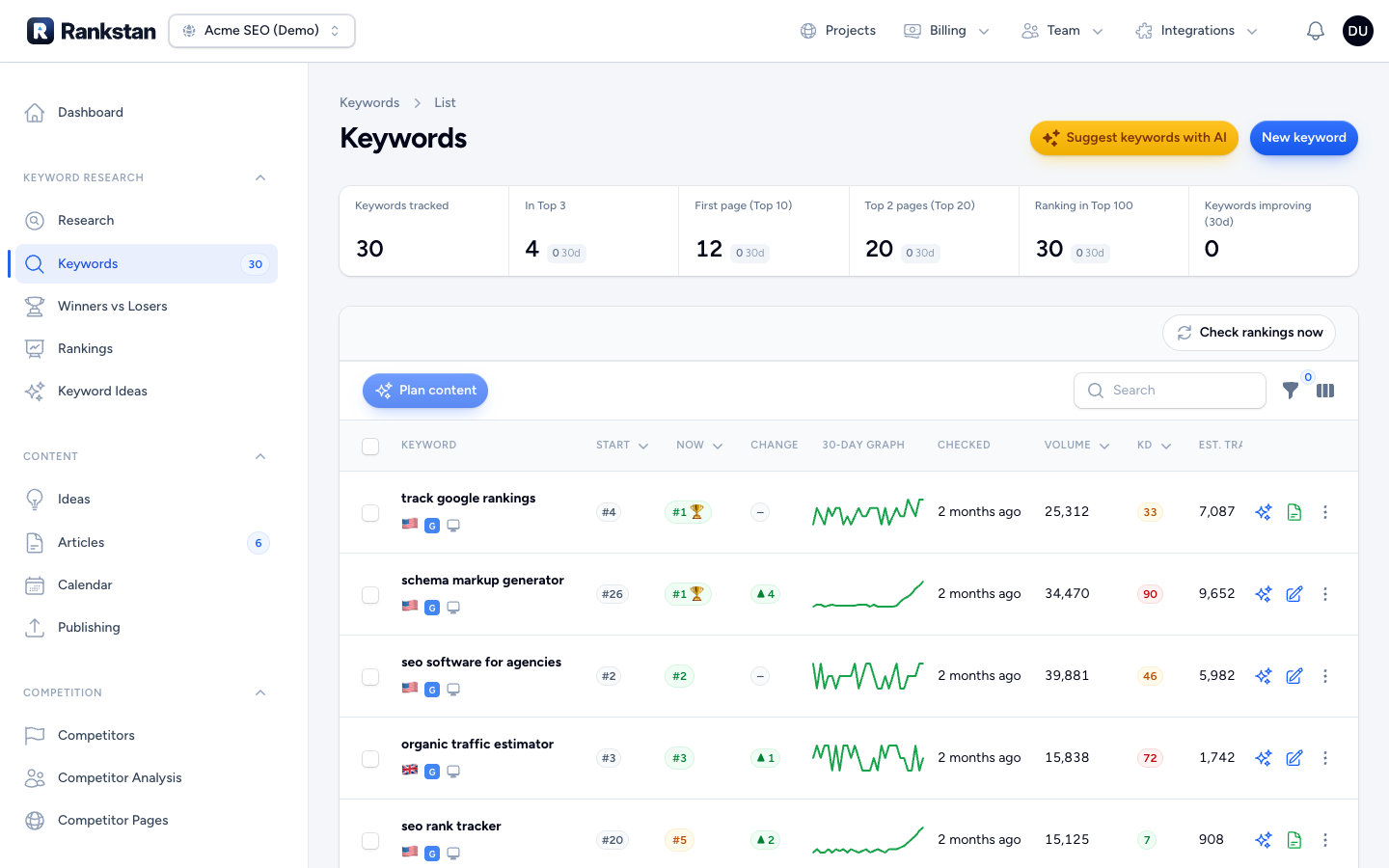
Every tracked keyword with its starting position, where it sits now, a 30-day trend, volume and difficulty.
The whole project as one picture
The rankings overview shows how many keywords sit in the top 3, on page one, or nowhere yet. Average position is plotted upside down on purpose, so up always means better. Published articles mark themselves on the timeline, and you can add your own events for a site migration or a backlink push. Click a marker to open what is behind it.
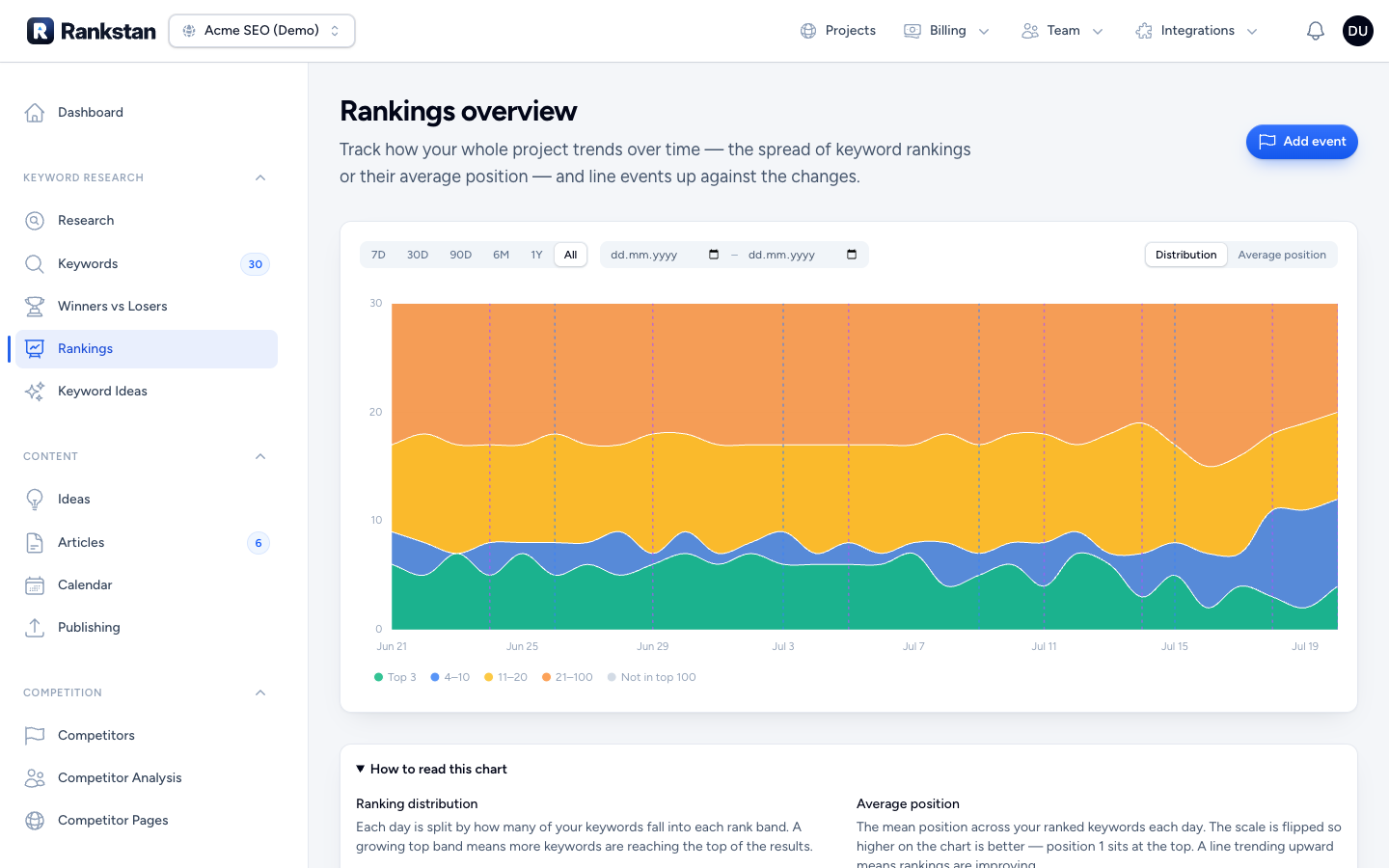
The rankings overview: keywords by rank band, day by day, with published articles marked on the timeline.
Know where to push next
The keyword matrix sorts your keywords into four buckets, recalculated every week, each implying a different action:
Low Hanging Fruits: keywords sitting at 11 to 15, one push away from page one. Most people open this one first.
Big Winners: what is working, so you can do more of it.
Critical Losses: what is slipping, before it slips quietly off the map.
Bleeding Positions: any keyword that dropped more than ten places.
Every row opens straight into a draft for that keyword.
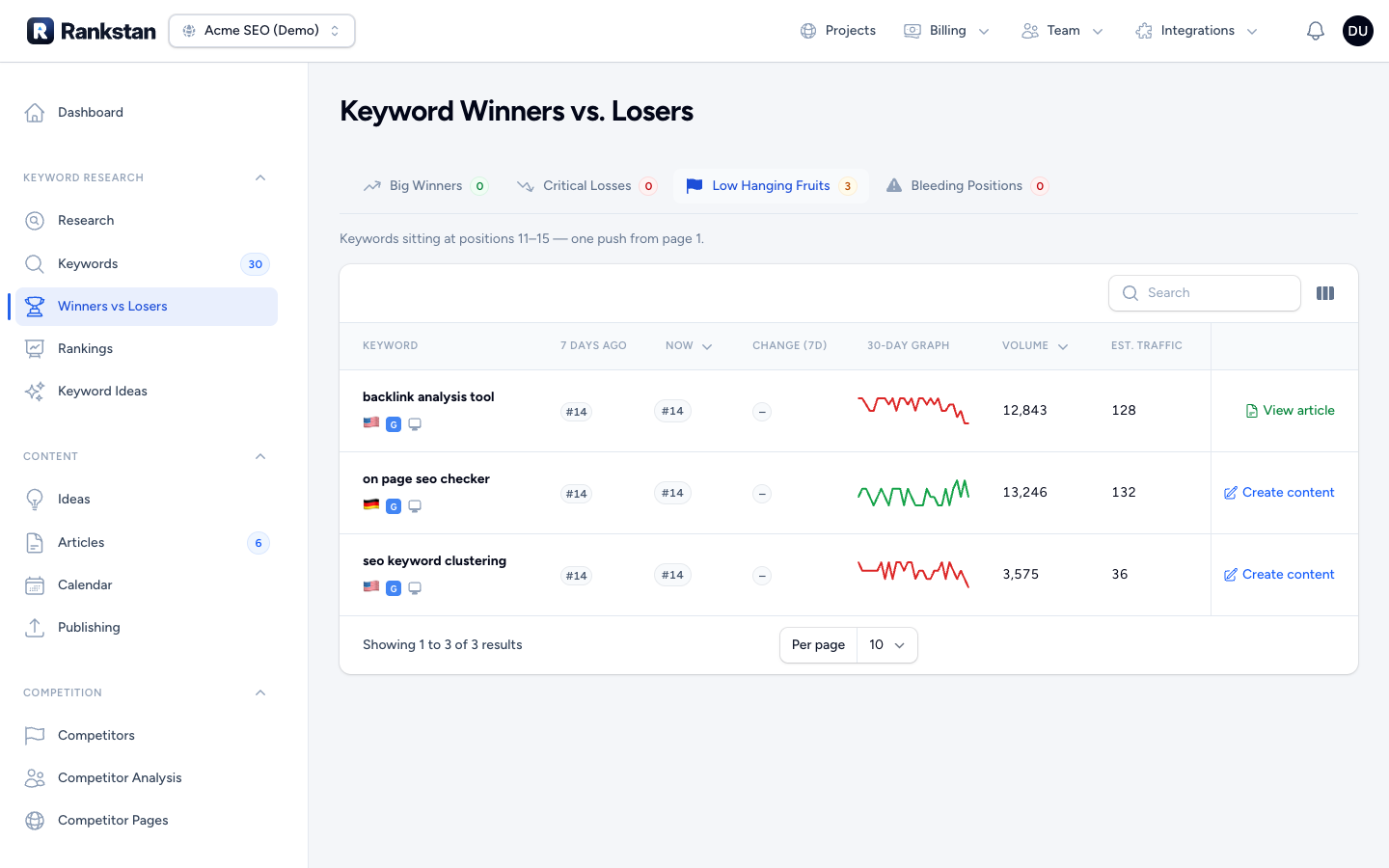
Low Hanging Fruits: keywords sitting at 11 to 15, each one a click away from a draft.
Keyword research, priced up front
Type a topic and Rankstan returns the searches around it: related searches, longer variations and topic ideas, each with its monthly volume, cost per click, difficulty and intent. Tick the good ones and they are tracked from the next check, with their metrics already filled in.
Every search shows its cost before it runs, and repeating the same search within a day is free.
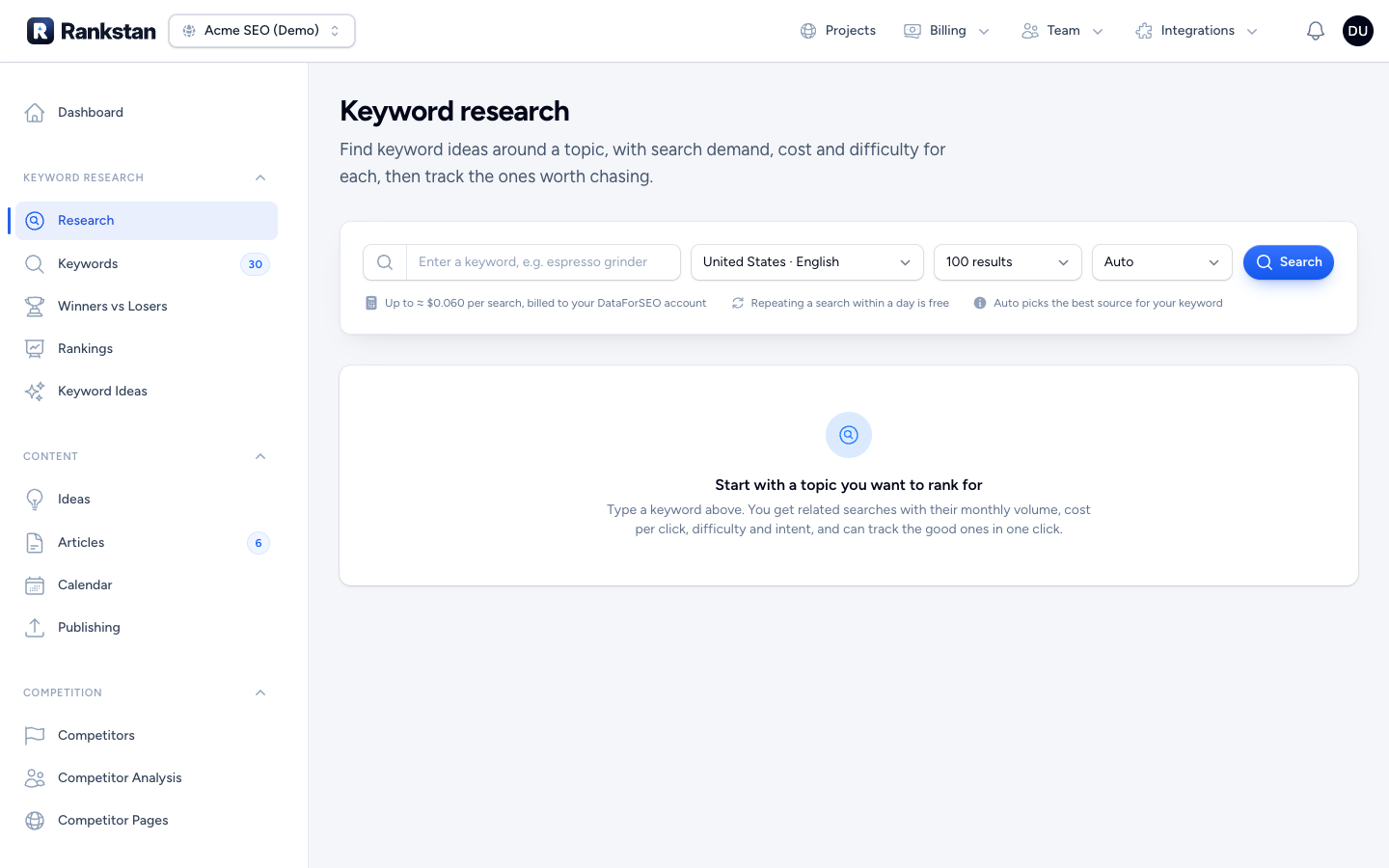
Keyword research shows what a search will cost before you run it.
Read what is already winning
Competitor research shows the keywords a competing site actually ranks for, pulled from live search results rather than an ad planner guessing at intent. Filter by volume, difficulty, how well they rank, or whether you already track the keyword, then add the keepers in one action.
A competitor list can run to thousands of terms, so AI can star the ones that genuinely fit your site. And when a page-one competitor is the thing to beat, you can read their page inside Rankstan and turn it into an original draft of your own.
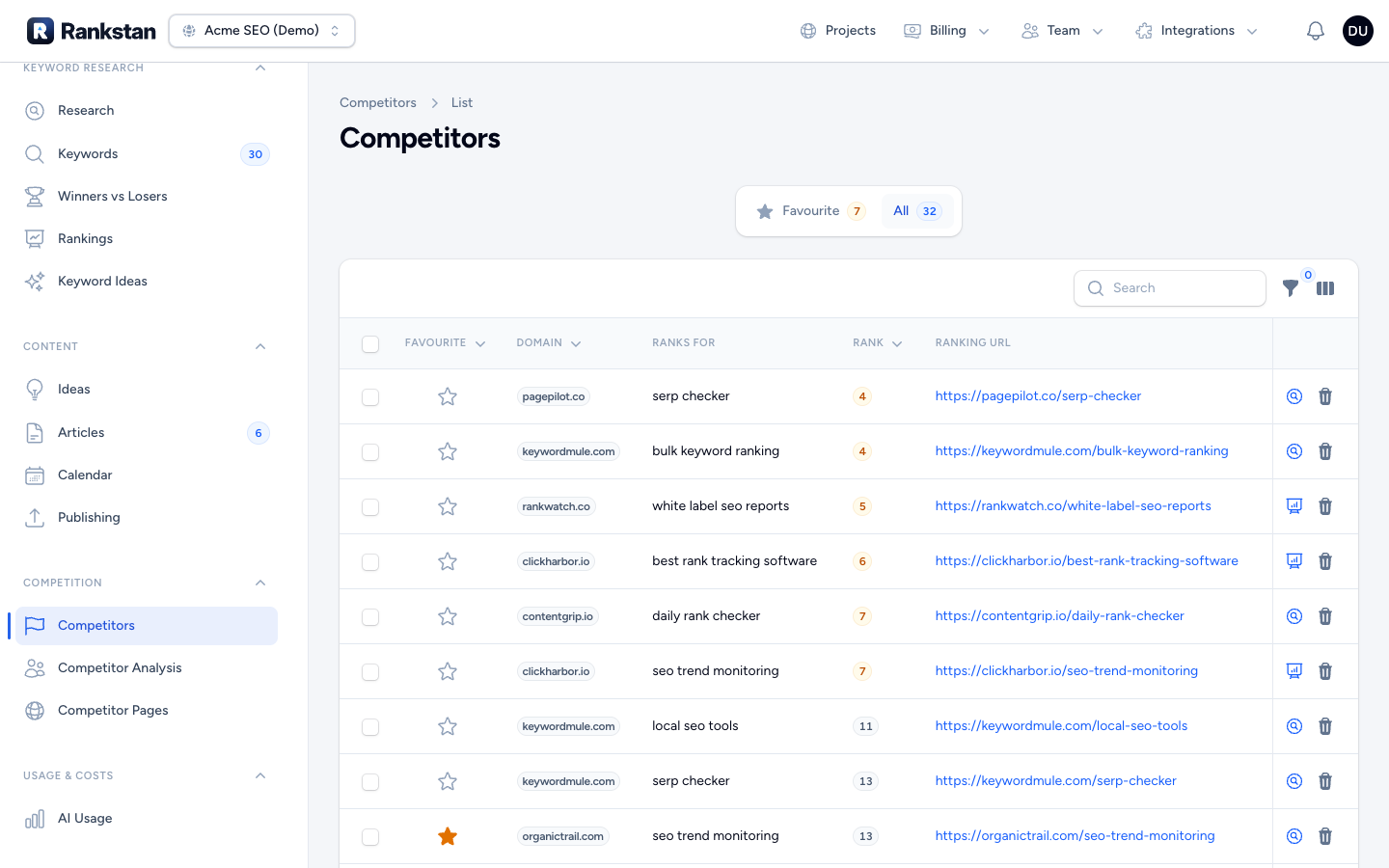
The sites ranking for your keywords, with the page and position for each.
Advanced AI Editor
The editor scores your article against the checklist SEO writers already know: the keyphrase in the title, the introduction and a subheading; keyword density inside a sensible band; title and meta lengths that display fully in search results; word count, links, and alt text on every image. The score updates as you type, so you fix things while you write rather than in a final pass.
With an AI key connected, Rankstan can suggest titles, write the meta description, and generate a featured image in your own house style, which you describe once per project.
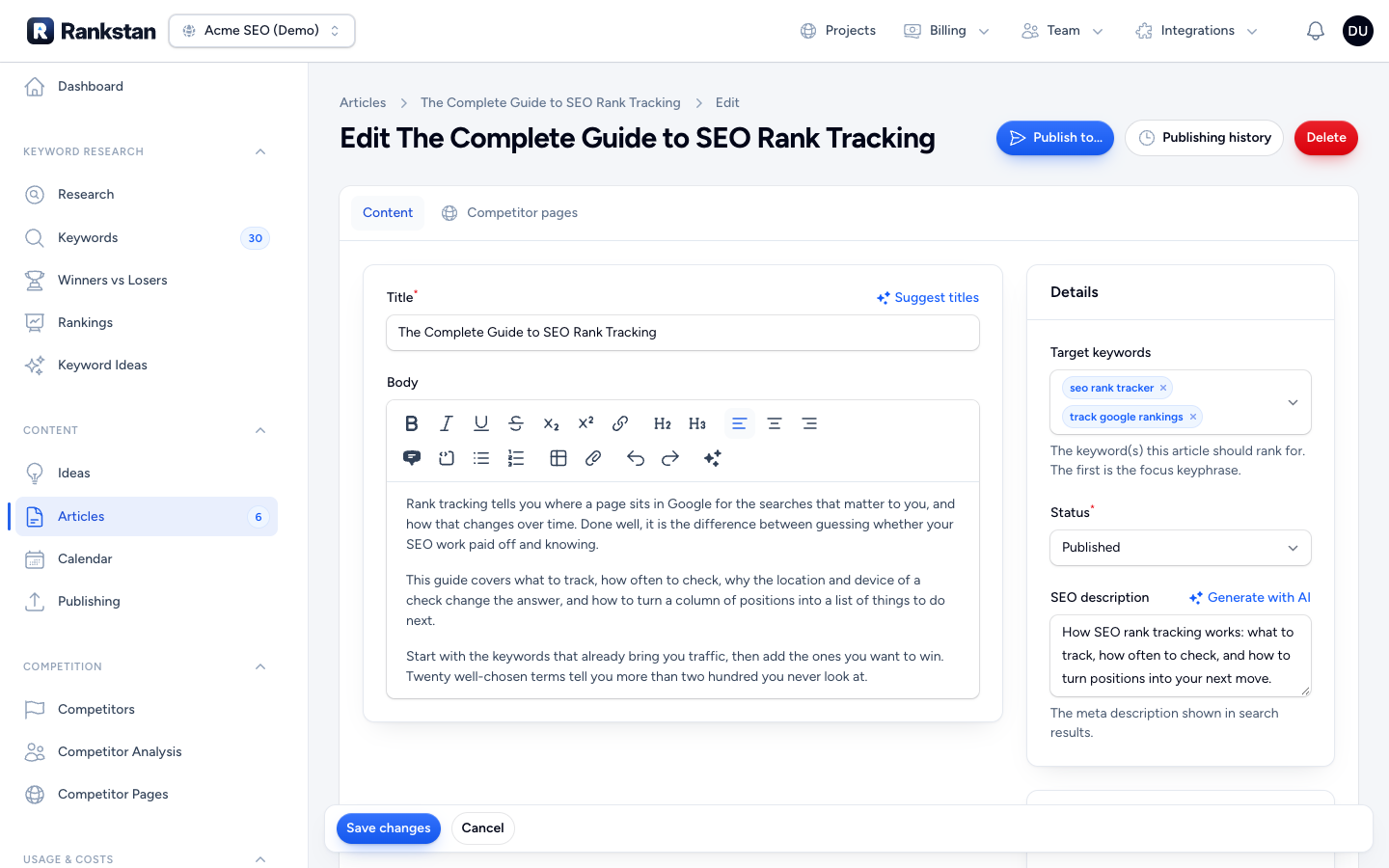
The editor: write on the left, with target keywords, status and the SEO description beside it.
Plan content, then decide how much runs without you
Pick the keywords you want to rank for and choose Plan content. AI proposes three article ideas for each one, as a title and an angle. You can also add your own ideas, with a title, an angle and the keyword they target. Nothing is written until you approve an idea.
What happens after approval is a per-project choice:
Autopilot: approving an idea writes the draft and schedules it on your publishing cadence, taking the next free slot. Approve a batch once, and the articles go live on their dates while you get on with everything else.
Human in the loop: approving an idea writes the draft and stops there. You read it, schedule it or publish it yourself.
You can override the mode for any single approval, and change it whenever you like. A common path is to start with drafts, then switch a site to Autopilot once you trust what it writes.
A content calendar for the whole month
The content calendar shows everything you have published and everything queued to go out, on one page. The gaps are the point: they are what a list of articles never shows you. Scheduled articles publish themselves, and you can drag one to another day without opening it.
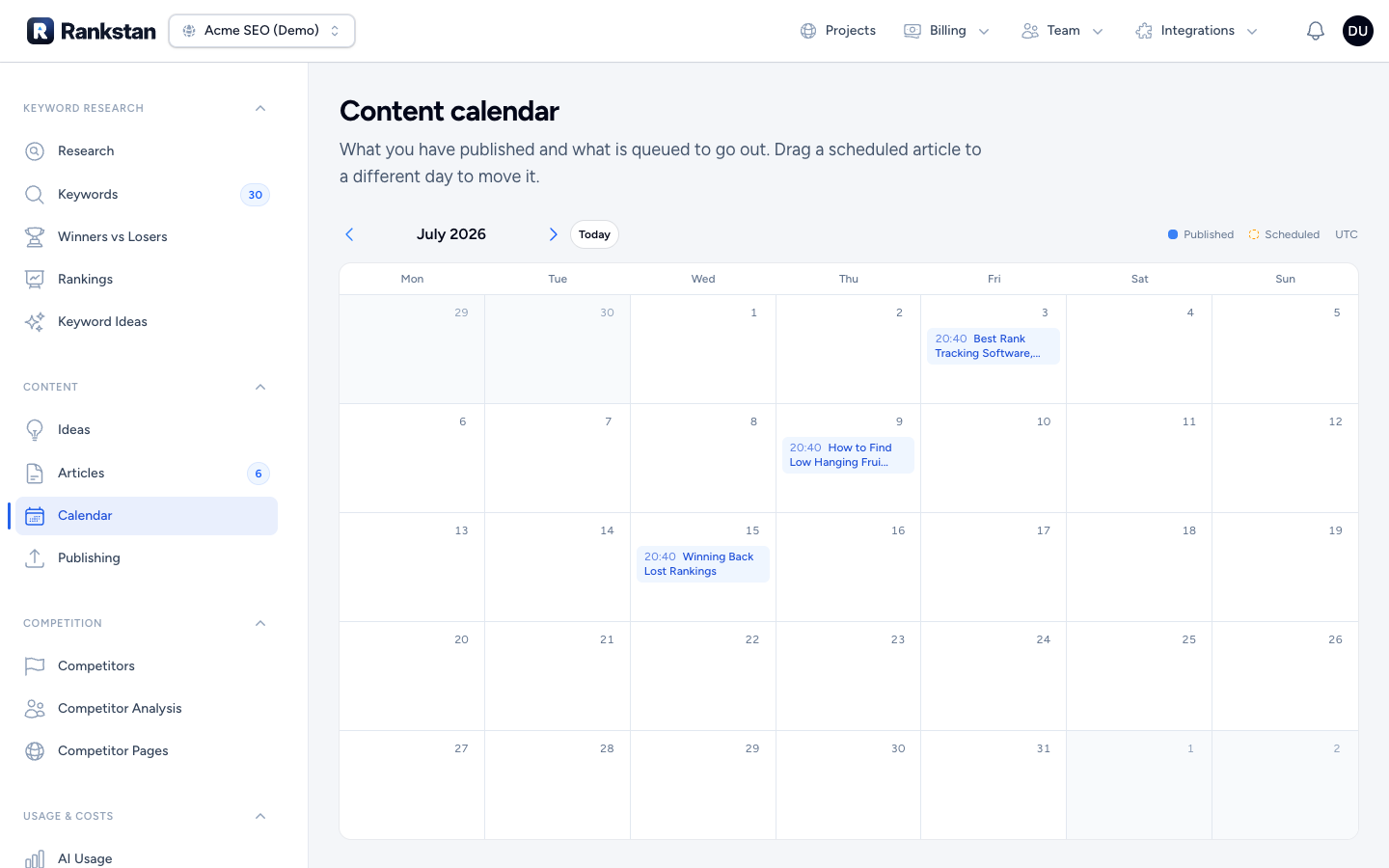
A month of publishing at a glance, gaps included.
Publish where your site already lives
Mark an article as published and it goes out to every destination connected to the project:
WordPress, through the free Rankstan plugin, with the SEO description and focus keyword written to Yoast SEO or Rank Math.
Shopify, into the store blog of your choice.
Ghost, with keywords as tags and the featured image in place.
Notion, as a page in a database.
Your own endpoint, as a signed webhook you can verify.
Each destination can take articles as a draft for review or publish them straight away. Re-publishing an article updates the post it created the first time, so nothing is ever duplicated. The publishing docs walk through connecting each one.
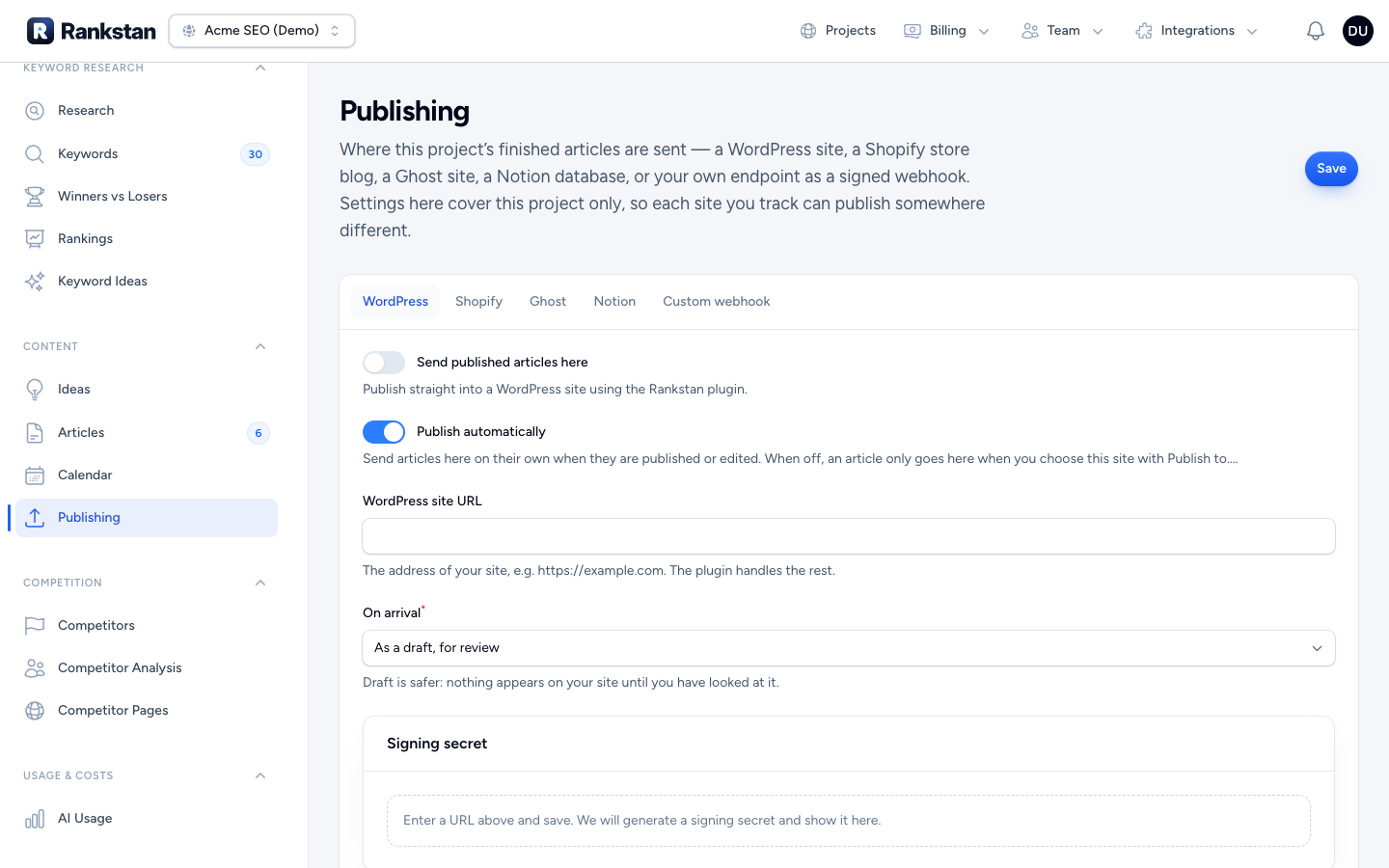
One tab per destination, each with its own on-arrival setting.
Measure whether it worked
This is the step most tools leave to you. Every published article is measured against its own target keywords, comparing where they sat on the day it went live with where they sit now: improved, slipped, newly ranking, or no change, keyword by keyword. Measured from the day it went live, not from whenever you happened to look.
And because the results feed back into rank tracking and the keyword matrix, the last step of the loop becomes the first step of the next one.
Built for more than one site
A workspace holds many sites, each with its own targeting, publishing cadence and destinations. If you belong to several workspaces, you choose which one opens when you sign in.
There are two plans:
Growth is for one person: 5 projects, 1 user and 12 months of ranking history.
Agency is for teams: 50 projects, unlimited users, per-project roles and 24 months of history. Invite your team as workspace admins, or give people access to single projects as an admin, editor or viewer.
Everything else is the same on both, including unlimited keywords, AI drafting and every publishing destination. Both start with a 14-day free trial, and if you subscribe while launch pricing is on, you keep that price for as long as your subscription stays active. The cost calculator on the homepage estimates your plan plus what DataForSEO and your AI provider will bill you each month.
Getting started
Create your workspace and start the free trial.
Connect your DataForSEO account, and an AI key if you want planning and drafting.
Add your site and paste in the keywords you already care about.
Let the first check run, then open the keyword matrix and pick where to push.
Start with the keywords you already care about. Rankstan will show you where you stand, what is beating you, and what to write next.